Roommate

In today's remote work setup, improving team communication is crucial for boosting engagement and productivity. Our project, MoodMate, utilizes the Yo-Yo machine's "Speed Dial" and "Light Touch" devices to tackle this challenge by fostering trust and understanding among remote teams. MoodMate features a symbolic design inspired by different cities' natural environments and cultural traits, such as koalas for Australia and wombats for Tasmania. These devices enable remote workers to express their emotions and desire for interaction with colleagues. Through extensive design and user research, MoodMate has become a welcoming platform that addresses the need for more regular interaction and emotional well-being in remote work setups.

Project Concept & Goal

The project aims to create a physical digital application to facilitate communication and connection between remote workers. Our main focus is to address the current challenges of remote working through fun physical interactions. Specifically, we aim to make remote work easier and more fun by increasing their social engagement through interactive means and making remote work easier and more fun. The prototypes will be placed on a teleworker's desk, acting as an interactive medium to enhance connections and interactions between teleworkers.

Target Audience

The target user group for this project is new employees who are entering the workforce and starting to telecommute. These new employees usually need to learn about the company's corporate culture and establish connections with other coworkers in their new work environment. For them, integrating into a new remote work environment in a short period is a major challenge.

Ethical Consideration

1. Emotional manipulation

Emotion Sharing: The prototype will involve features that give users the ability to share emotions, such as the user's online status, mood, and sentiment. If users are easily influenced by external emotions, such as negative emotions, this can have a negative impact.

Mitigation plan:

User Manipulation: Allow users to choose whether or not to share emotional states as well as control the time in which they can be shared. Ensure that users have control so that they don't feel uneasy about being forced to share emotions.

2. Addiction

Overuse: The user will easily be attracted to it instead of focusing on their work. At the same time, the prototype covers a wide range of interactions, and users may develop a habit of using too many different interactions, which may affect their productivity.

Mitigation plan:

Setting time limits: Introduce time-limited features in the prototype to ensure that interactions with users do not go on for too long. For example, set an upper limit on the duration of each interaction.

3. Accessibility

Overly complex interactions can have an impact on the accessibility of the user community, especially those with cognitive and physical disabilities, which can result in some users not being able to fully participate in the prototype's interactions.

Mitigation plan:

Simplify interaction: Ensure that the overall interaction is simple and easy to understand. Use easy-to-understand icons, symbols, and colors to reduce the cognitive burden on users when using the prototype.

Design direction

Based on the needs gained from user research that provides human value and insights into the design prototype, three potential design directions are proposed:

1. Engaging forms of interaction: going beyond traditional electronic screen interactions to provide employees with more intuitive and immersive interactive experiences that reduce social isolation.

2. Versatile messaging: visual communication tools, such as the use of graphic signage to display work requests needed by employees.

3. Creative work status alerts: personalized displays of employees' online status to reflect their current work status to others and understand the best fit for communication.

Design Process

Iteration 1

User research in target users

To understand our remote worker users better, we used semi-structured interviews and mapping as our research methods, interviewing six participants. Semi-structured interviews involved six core questions, allowing flexibility to capture genuine experiences and feelings. Unexpected questions arose, enriching our understanding. Mapping visually represented a typical remote work day to delve into behaviors and emotions, uncovering pain points and opportunities.
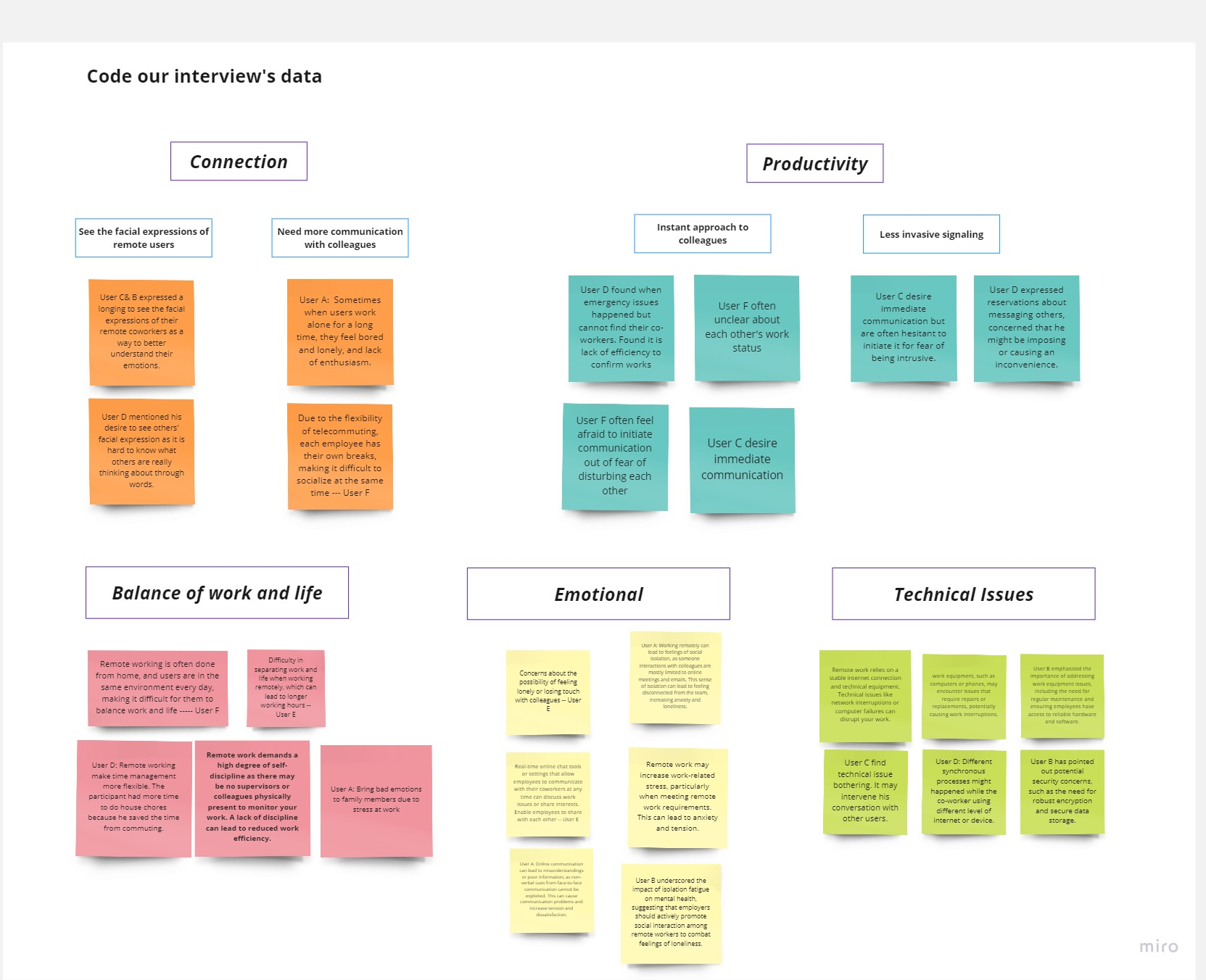
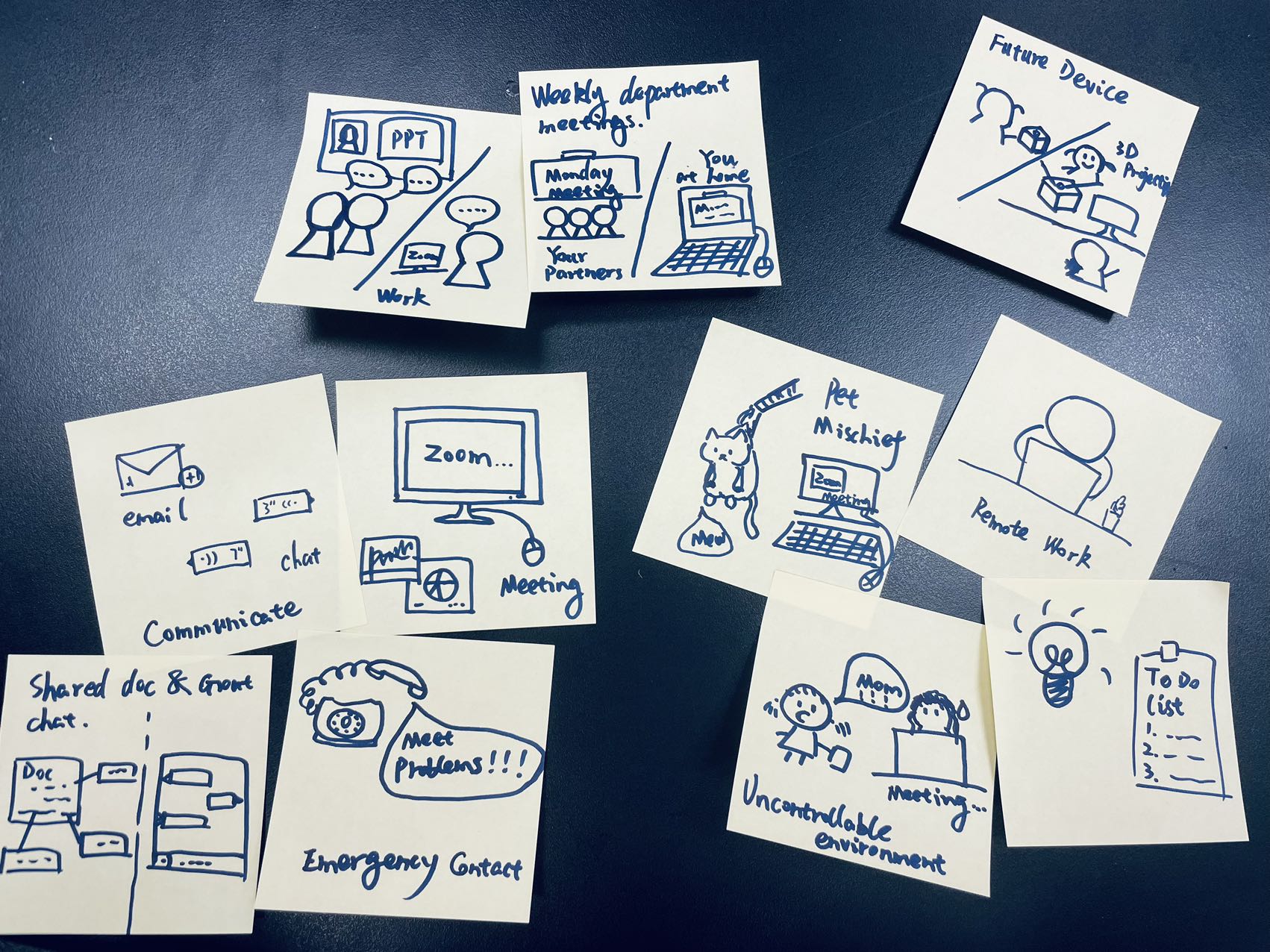
Findings revealed key points

Connection: Remote workers seek stronger connections with colleagues due to the lack of immediate interaction, leading to feelings of isolation and diminished enthusiasm for work.

Emotional Well-being: Workers in remote setups crave emotional expression and understanding. Isolation and the inability to perceive colleagues' emotions cause stress. Interaction fosters emotional bonds and support within the team.

Prototyping directions

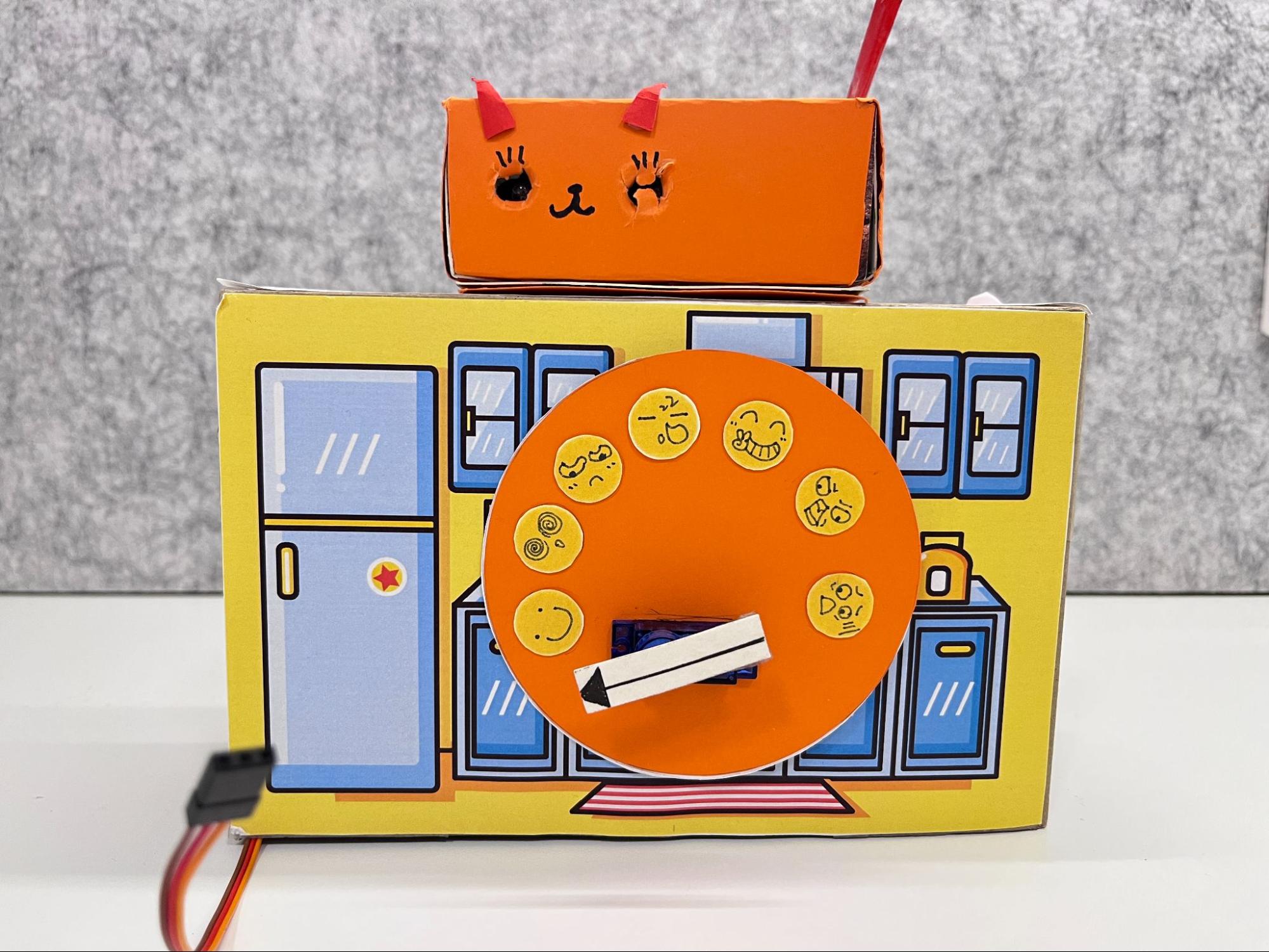
Connection - "I Need You": We're introducing the "Light Touch" feature, designed as a cat and a crab, allowing users to send colored lights to colleagues. Named "I Need You," it subtly reminds users of their colleagues' presence, fostering communication without intrusion.

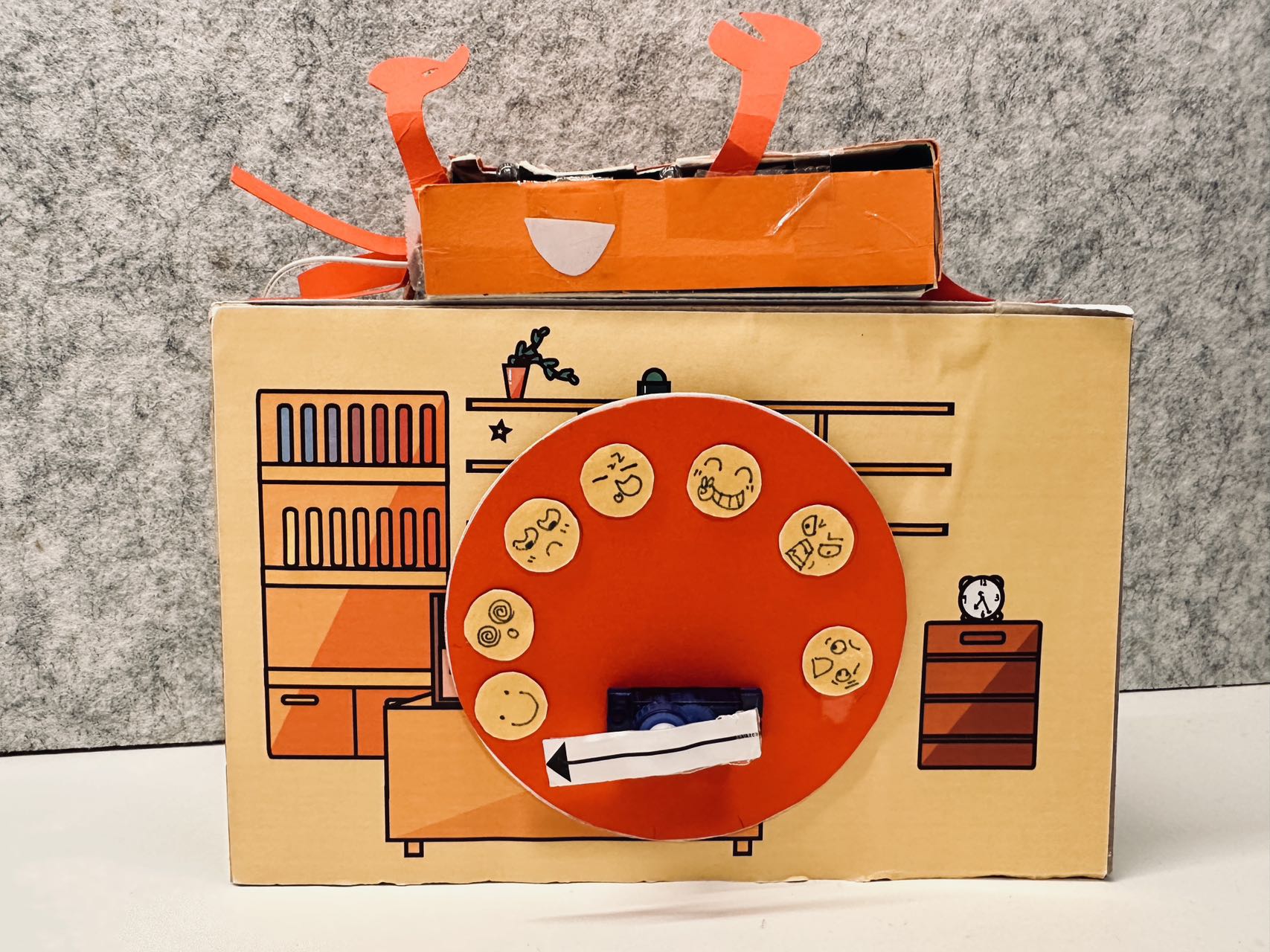
Emotional Expression - "I See You": We're introducing the "Speed Dial" function, named "I See You," allowing users to express emotions through facial expressions like smiles, confusion, and anxiety. It encourages open sharing of emotions, fostering empathy in the remote working community.
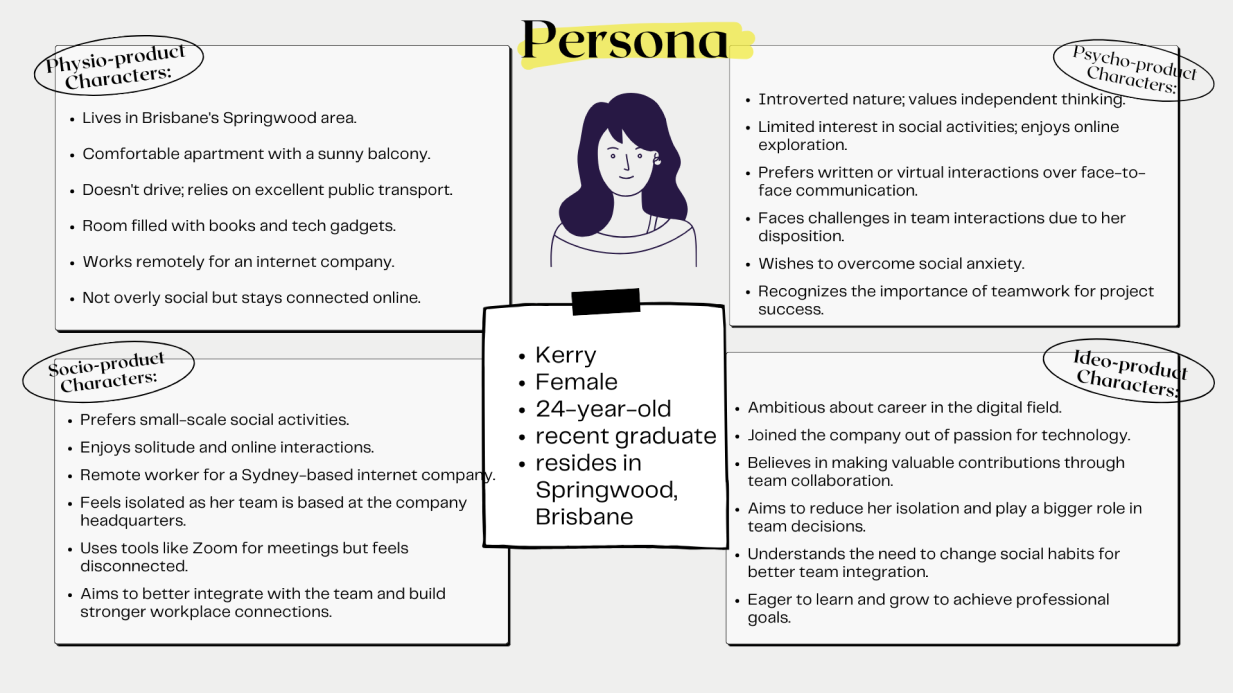
Persona
Iteration 2

User evaluation
Round 1 Method:
Think Aloud

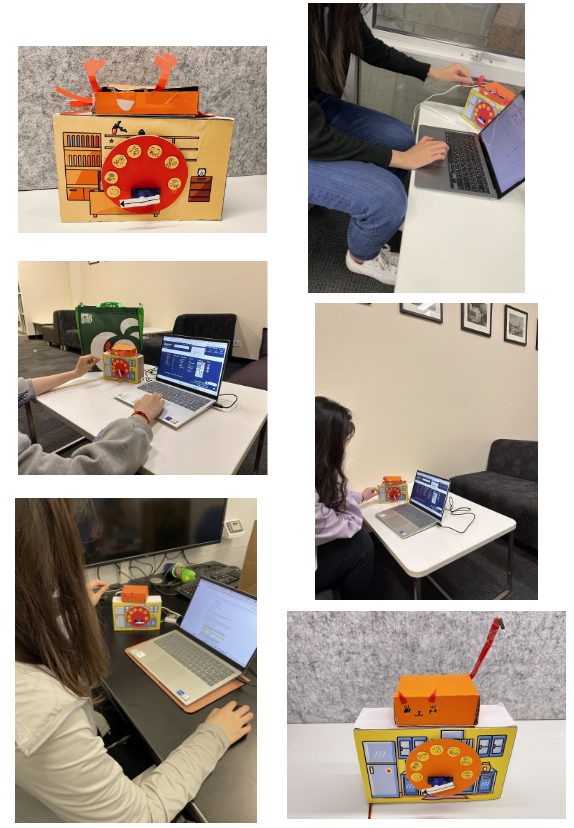
For the evaluation of our product, we invited six testers to participate in the use of the "I See You" and "I Need You" devices. To put them into context, we simulated a scenario for them: Eric, a remote software developer, working at CyberLume, a tech startup, and they were challenged with an important project. The task was for them to express their thoughts, feelings, and understanding out loud while using the product.
Round 2 Method:

Field Trials: Three groups of University of Queensland students used our product in their homes and on campus throughout the day. They were encouraged to use the devices as they normally would to provide realistic usage data.

Interviews: At the end of the day, we conducted interviews to gather more user feedback. We asked about their views on the "Light Touch" feature's intuitiveness and effectiveness, their experience with the "Speed Dial" device, and if they would recommend the devices to other remote teams.

Findings

Technical Issues: Users faced difficulties with WiFi disconnections and device desynchronization, affecting user experience smoothness.

Appearance: Users suggested combining the two devices into one for better portability, especially for frequent travelers.

Color Definition Confusion: Users misunderstood the meanings of different colors, suggesting the need for clearer guidance or a more intuitive color scheme. They also recommended adding a "do not disturb" feature to prevent misunderstandings during unavailable times.
Outcome

Based on user feedback, our final product got a lot of changes:

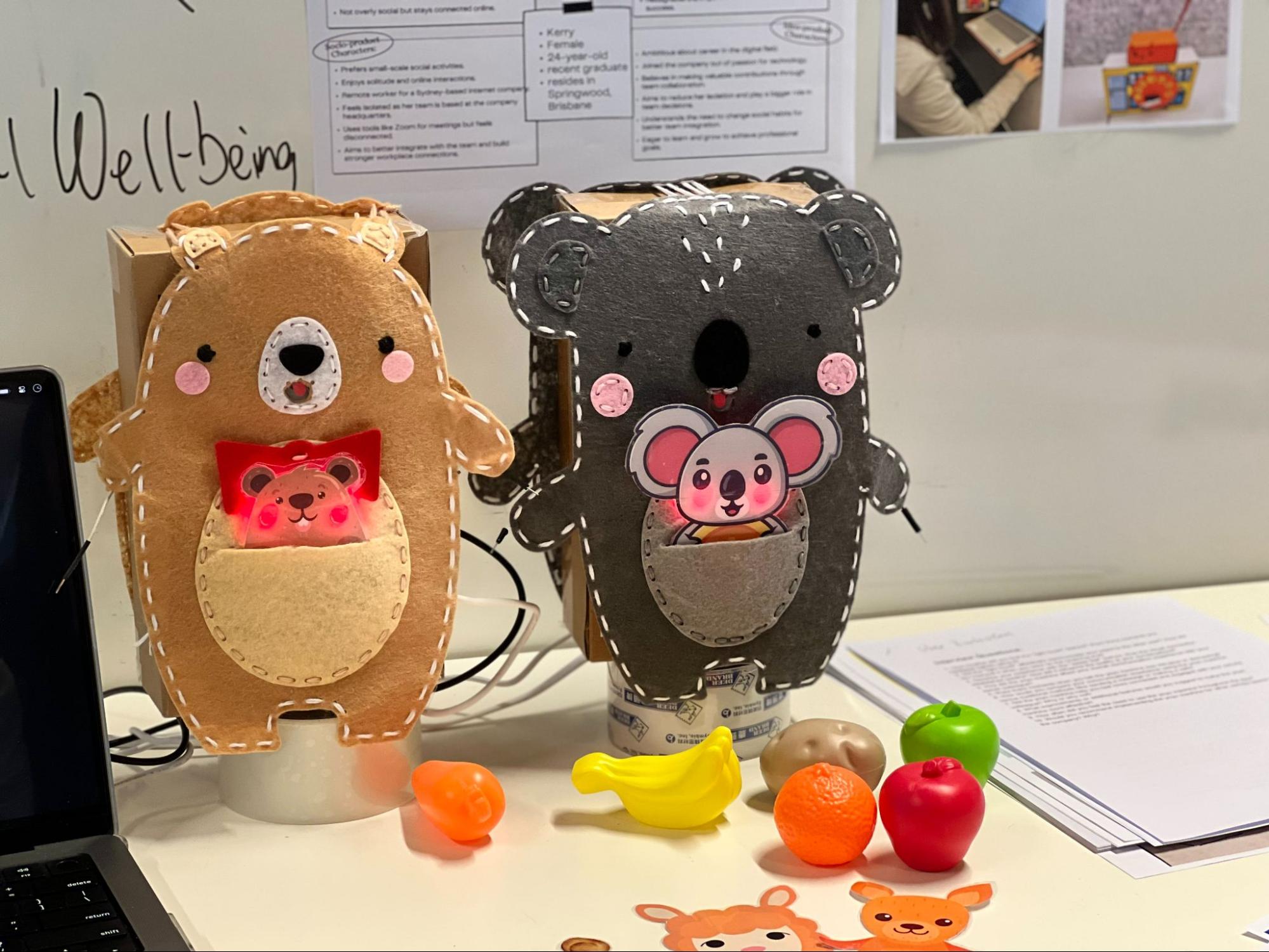
Combination into "MoodMate": we merged the speed dial and light touch devices into one unit named "MoodMate." This simplifies portability and reduces the risk of losing devices. Maintenance becomes simpler with one device, reducing technical issues.

Customizable Skin Design: Our prototype introduces customizable skins based on the user's geographical location, adding a personalized touch. The speed dial device is incorporated into the big toy's mouth, and the light touch device into the little toy's blush, enhancing interaction pleasure.

Incorporation of User Manual: To address technical issues and color confusion, we're including a detailed user manual. It explains network requirements, device operation, and the meaning of different light colors, helping users understand and use the device effectively.

Challenges and Direction of Improvements

Definition of Light Colors: Our interpretations of light colors in the "MoodMate" device may not universally apply across different contexts and individual preferences. To address this, we're considering customizable color associations for users to personalize based on their preferences or providing educational materials to better understand color meanings. This ensures versatility and inclusivity in communication.

Ephemeral Light Signals: Transient light signals in "MoodMate" may result in missed communications when users are not near the device. To solve this, we propose developing a notification system and mobile application. This system should be customizable to prevent notification fatigue and ensure reliable communication even when direct interaction with the device isn't possible.

Future Development

Refined Emotional Expression: Future "MoodMate" designs will simplify emotion symbols based on common expressions identified through user feedback. Enlarging the mouth area in the design will enhance intuitive expression transmission, strengthening visual communication without increasing cognitive load.

Matching Sound Effects: We plan to introduce sound effects matching request statuses to enhance user experience. However, careful consideration will be given to avoid distractions, with customizable options for users to adjust or disable sound effects according to their preferences and work environment.

Mobile Application Integration: We're developing a mobile application to integrate with "MoodMate," providing timely popup notifications on smartphones. The application will extend communication capabilities beyond physical contexts, ensuring intuitive and user-friendly communication enhancement.